

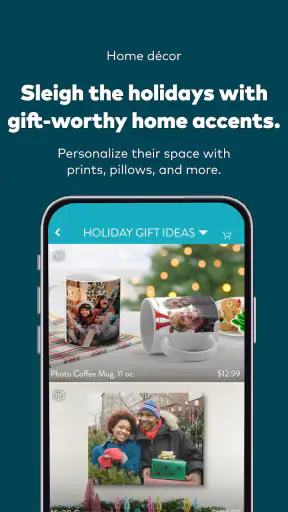
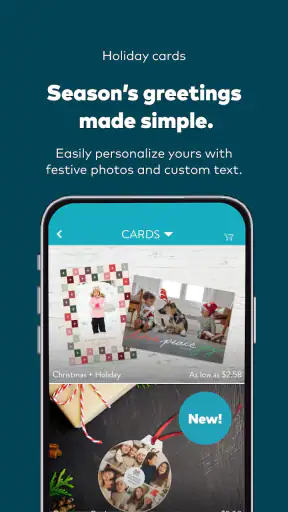
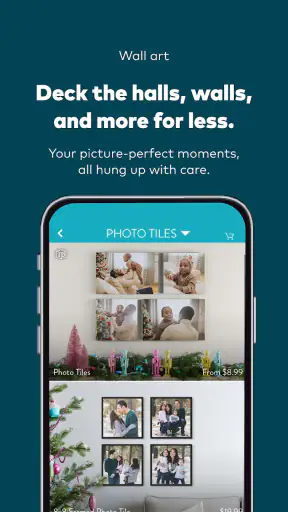
I came away from Snapfish: Prints + Photo Books thinking of it less as a general photo editor and more as a practical bridge between the pictures on my phone and something I can hold. That distinction matters. If you want to adjust a picture with advanced controls, organize a huge library, or replace a dedicated camera app, this is not the tool I would choose. If your goal is to turn everyday phone photos into prints, photo books, cards, calendars, mugs, tiles, or other photo gifts, it has a much clearer purpose.
My overall view is positive because the app focuses on a familiar problem: I take plenty of photos, but most stay buried in my camera roll. Snapfish gives those images a route into physical projects without making me begin on a desktop. It is free to install, aimed at Everyone, and comes from Snapfish Mobile. Its average rating is 4.4 from around 99 thousand ratings, with roughly 23 thousand written reviews and over 5 million installs, so it is clearly being used at a substantial scale rather than serving only a narrow group of scrapbook enthusiasts.
What using Snapfish feels like in everyday life
A straightforward path from phone photos to physical products
The strongest part of the experience is the basic workflow. I can start with photos already on my phone, choose the kind of item I want to make, and work toward a finished result instead of stopping at an editing screen. That makes the app especially appealing after a trip, a family gathering, a child’s birthday, or any moment where I have collected more pictures than I realistically intend to print one by one.
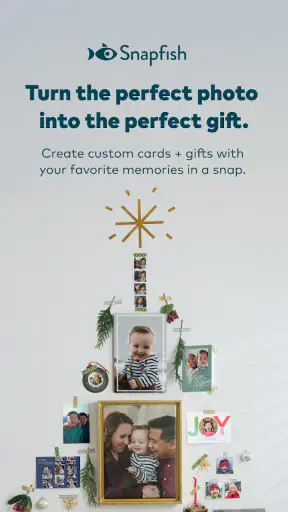
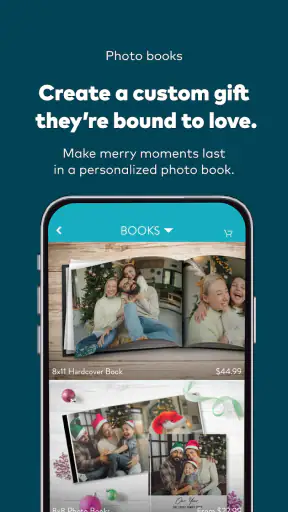
The range of projects also changes how I think about my photo library. A single favorite image can become a print or a mug, while a larger group of related images makes more sense in a photo book or calendar. Cards suit occasions where a digital message feels too disposable, and tiles can work when I want a photograph to become part of a room rather than sit in a drawer. The value is not simply having many product types; it is being able to match the format to the memory.
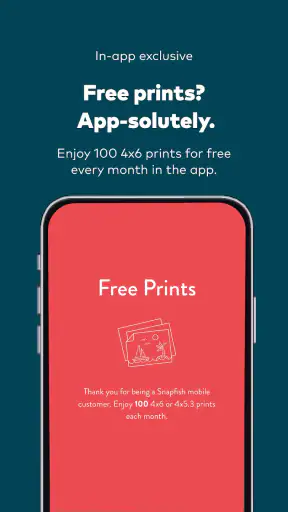
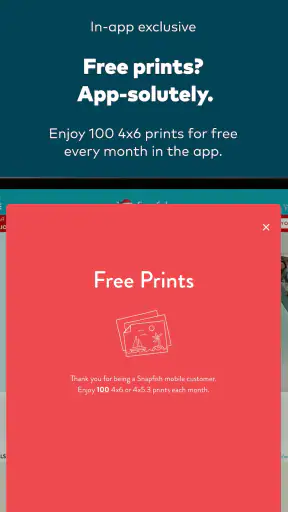
The monthly offer highlighted by the app gives users 100 pictures a month at no charge, which makes it easier to experiment with ordinary snapshots rather than reserving printing for formal occasions. I would still read the current checkout details carefully before placing an order, because a free item and a completely cost-free order are not always the same thing. Delivery, product choices, and other checkout conditions can affect the final decision, so I would treat the offer as an invitation to explore rather than assume every possible expense disappears.
Why the app works better for projects than for quick edits
When I compare this with the usual alternatives, the difference is clear. A standard gallery app is better for browsing, cropping, sharing, and making quick corrections. A dedicated photo editor is better for exposure, color, retouching, and creative effects. A desktop publishing tool offers more control over page design. Snapfish sits somewhere else: it is built around selecting images for a physical outcome.
That focus is useful because it removes a decision I often postpone. I do not need to export pictures, find a separate printing website, upload them again, and then work out how to arrange them. The app keeps the project connected to the images I already have available on my mobile device. For a casual user, fewer handoffs can matter more than having every possible editing option.
There is also a practical emotional advantage. When I make a physical project directly from recent phone photos, I am more likely to finish it while the event is still fresh in my mind. A desktop workflow can be more powerful, but it also creates more opportunities to delay the task. Snapfish is at its best when convenience helps me cross the gap between “I should print these” and actually preparing something.
Three workflows that make the app more useful
One useful approach is to separate selection from design. Instead of trying to choose pictures while already arranging a book or gift, I first make a small temporary group of the images I genuinely want to use. I remove near-duplicates, screenshots, accidental shots, and pictures that only look interesting because I remember the moment. This reduces the chance of filling a project with technically similar images and makes the final result feel more intentional.
A second approach is to design around a story rather than around the order in which the phone saved the pictures. For a weekend away, I might begin with the departure, move through the main activity, and finish with a quiet detail or group portrait. For a family year, I would choose a few representative moments instead of trying to include every month equally. This matters because a photo book can become visually repetitive when it is treated as storage rather than a sequence.
A third tip is to inspect every crop before ordering, especially when a picture contains a person near the edge. A phone photograph can look fine in the gallery but lose a face, sign, or important object when fitted into a product shape. I would check the preview at the final layout, not just trust the original image. This is one of the most important habits in a mobile printing workflow because the physical result cannot be corrected as easily as a digital file.
Choosing the right project for the memory
Not every image deserves the same treatment. I would use a simple print for a portrait, a favorite landscape, or a picture that needs to stand alone. A photo book is more appropriate when the meaning comes from several images together. A calendar works when the photographs can remain enjoyable for months, while a card makes sense when the image supports a specific message or occasion.
I also think about how much visual variety the project needs. A book made entirely from similar selfies may be meaningful to the people in it but tiring to browse. Mixing wide scenes, close details, group shots, and small candid moments creates a better rhythm. The app can help assemble the product, but it cannot decide whether the selected images tell a coherent story. That judgment still belongs to me.
The same principle applies to gifts. A product with a single strong photograph can feel more considered than a crowded design containing every available image. If I am making something for another person, I would choose a picture connected to a shared memory rather than simply the highest-resolution image in my library. Snapfish makes the production step accessible, but the personal value comes from the selection.
What I would check before pressing the order button
I would review the entire project slowly at the end, even if the app makes the process feel quick. I would check orientation, faces near edges, repeated images, captions if used, and whether dark photographs still show the details I care about. I would also confirm the delivery information and the exact product configuration. A small mistake in a one-off print is annoying; the same mistake repeated across a book or a set of gifts is much harder to overlook.
Image quality deserves realistic expectations. A sharp, well-lit phone photo usually gives the app more to work with than a dark, heavily zoomed, or compressed image. Snapfish can turn a suitable file into a physical product, but it cannot recover detail that was never captured. I would avoid judging a picture only by how attractive it looks on a bright phone screen, since printed material may appear less luminous and less forgiving.
The app is also a better fit for people comfortable making choices on a smaller screen. I found the convenience appealing, but detailed layouts can require patience when the phone display gives limited room for checking spacing and cropping. If I were producing a large, carefully art-directed book, I would consider a larger-screen workflow first. For a personal project with a moderate number of images, mobile editing is much easier to justify.
The meaningful weakness: convenience does not equal complete control
The main limitation is the trade-off between speed and precision. Snapfish is attractive because it keeps the process approachable, but that same simplicity may frustrate anyone who wants deep control over typography, spacing, color management, or exact placement. I would not choose it for a professional portfolio, a highly controlled exhibition book, or a project where every millimeter matters.
There is another kind of friction in the number of decisions surrounding a physical order. Choosing a product is only the beginning. I still need to judge the image quality, inspect the crop, decide whether the design feels balanced, and review the checkout details. The app shortens the route compared with a completely separate print workflow, but it does not remove the responsibility of proofing the result.
Mobile convenience can also encourage rushed decisions. Because I can work from the sofa or while traveling, I may be tempted to order before I have looked at the project with fresh eyes. My best results come when I save the finished arrangement, step away, and revisit it later. That pause is especially valuable for photo books, where repetition and awkward sequencing are easier to notice after the initial excitement fades.
Who should use it, and who should look elsewhere?
I would recommend Snapfish to someone who has a phone full of meaningful pictures and wants a manageable way to print them. It is particularly suitable for families, travelers, casual photographers, and gift shoppers who prefer a guided product workflow over a blank design canvas. It also suits people who are more interested in preserving memories than in learning advanced image editing.
The app makes sense for a parent assembling a small family book after a school term, a traveler turning a recent trip into a keepsake, or a friend preparing a personalized card instead of sending another generic message. In each case, the important benefit is momentum: the images are already on the phone, and the project can begin without building a complicated production system.
I would be more cautious about recommending it to a photographer who needs color-critical output, extensive manual retouching, or exact control over a publication. That person may be better served by editing in a dedicated application and using a specialized print service with a larger workspace and more technical options. I would also steer away from it if the main goal is simply to improve photos digitally; Snapfish is centered on creating physical items, not replacing a full editing suite.
Device compatibility is worth checking before installation. The current version is 17.13.0 and requires Android 8.0 or later, so users on older Android devices may need to confirm that their phone can run it. On supported devices, the free price lowers the barrier to trying a small project first rather than committing immediately to a large order.
My verdict after weighing the strengths and compromises
Snapfish earns its place by solving a specific, common problem well: it helps move personal photographs from a phone into tangible prints and gifts. Its strongest qualities are the focused purpose, the variety of physical formats, and the convenience of working from mobile images. The offer of 100 pictures each month can make casual printing feel more approachable, provided I check the final order details rather than assuming every part of fulfillment is included.
Its weaknesses are equally clear. It is not the ideal choice for advanced photo correction, meticulous page design, or professional-level output control. The smaller mobile workspace can make careful proofing slower, and the ease of starting a project does not eliminate the need to check crops, image quality, and checkout information. I see those as fair compromises for a service aimed at everyday memory keeping.
My final recommendation is simple: use it when the finished object matters more than technical perfection. Start with a small, meaningful set of photos, review every preview, and choose the product that fits the story rather than the one with the most decoration. For turning neglected phone photos into personal physical keepsakes, Snapfish is a genuinely useful and approachable choice.


